● Document AI · For real estate companies
Any agency’s listing,
in your own format.
Upload a PDF or photo, and AI reads the property name, price, floor area, and more, then fills in your company’s template.
15secFrom upload to draft (approx.)
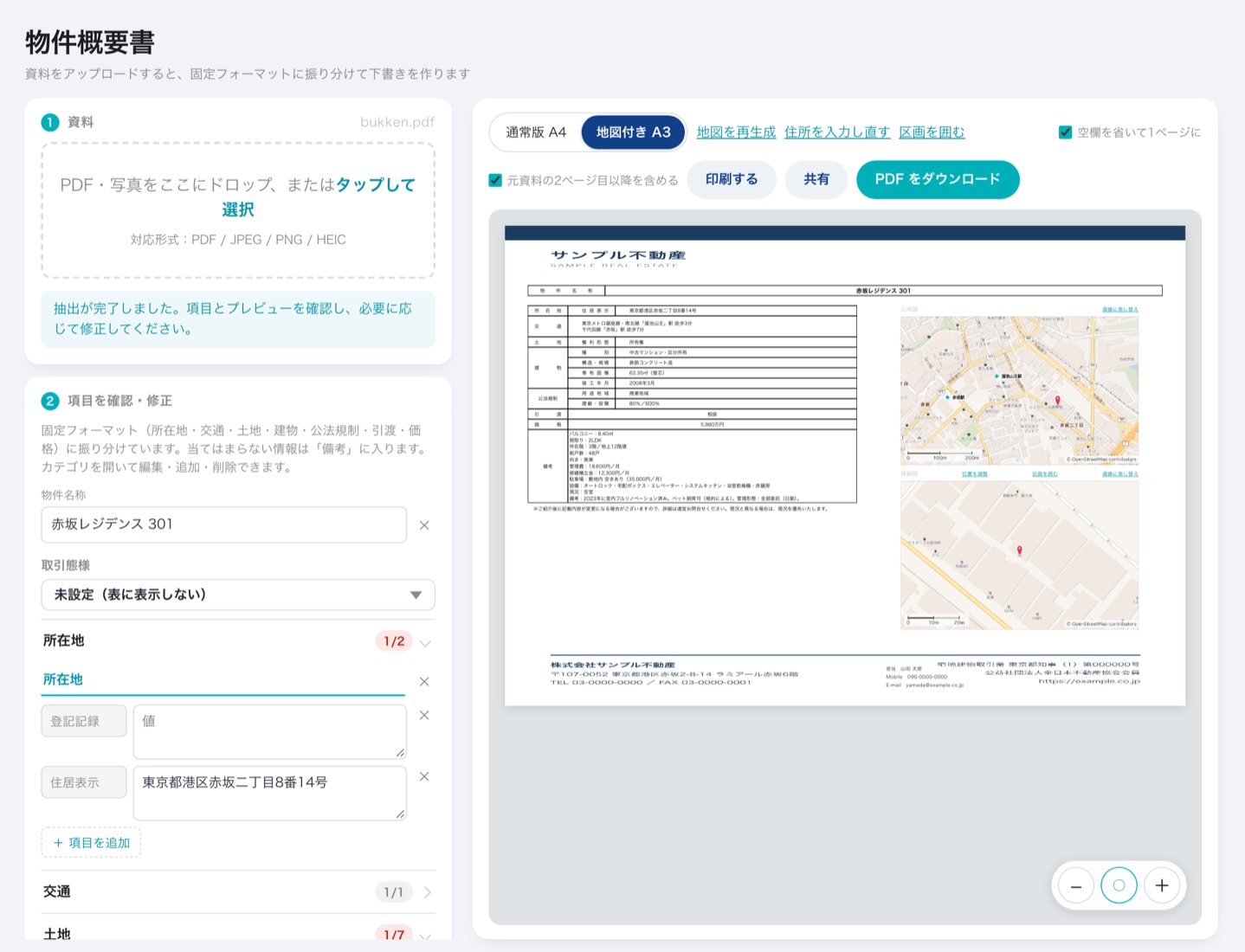
A4 · A3Overview and map sheet
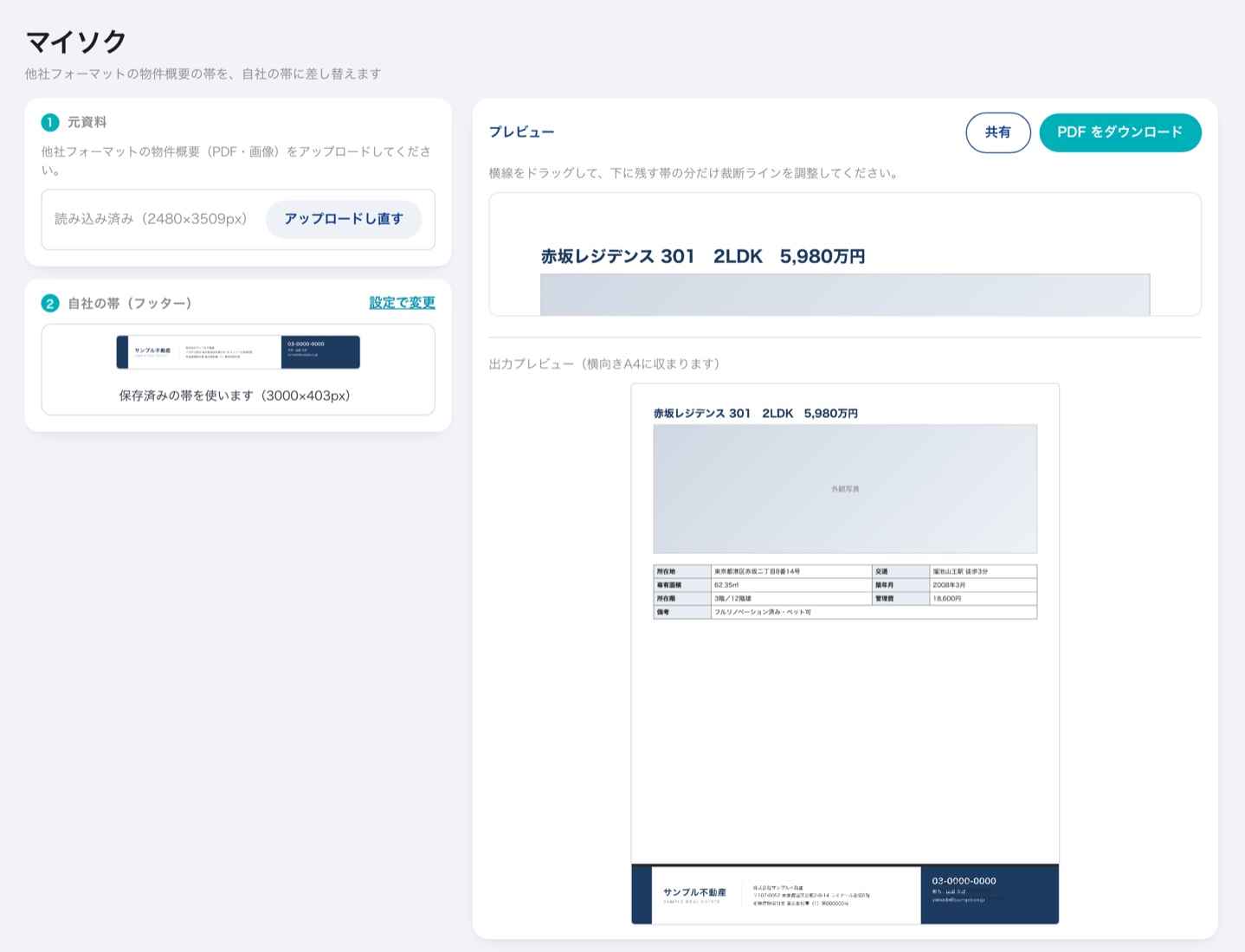
5secSwap the band on a flyer (approx.)
How it works
01Choose a format
An A4 overview or an A3 sheet with maps. The company template you use today becomes the format.
02Upload documents
Drop in PDFs or photos (JPEG, PNG, HEIC) from other agencies as they are.
03Check what AI read
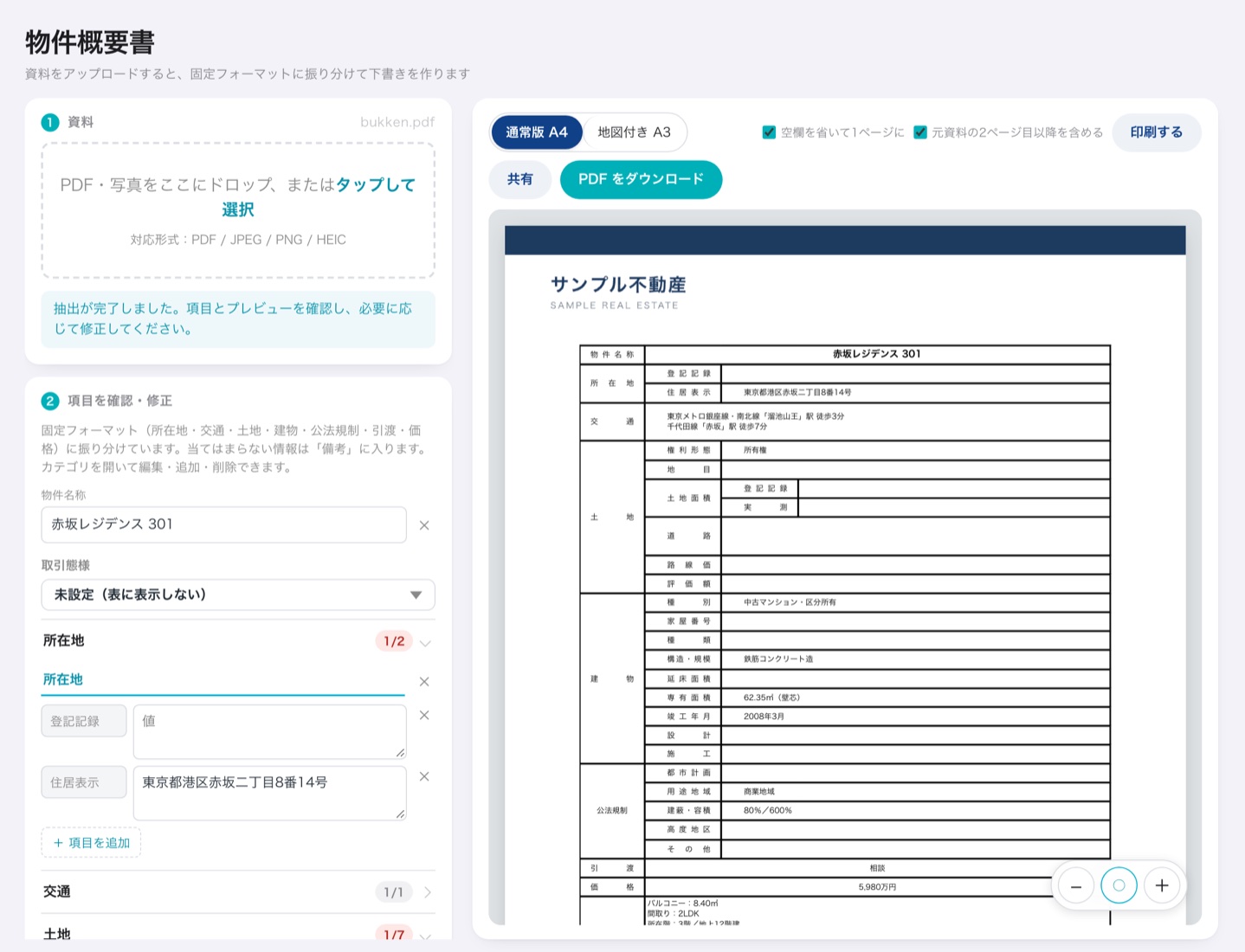
AI sorts the details into fields such as location, access, floor area, and price. You can edit any value on screen.
04Export a PDF
The original agency’s details are replaced with your contact info, logo, and agent name. Send the print-quality PDF by LINE or email.
赤坂レジデンス 301 2LDK 5,980万円
他社の会社情報
AI READING
サンプル不動産SAMPLE REAL ESTATE
| 物件名称 | 赤坂レジデンス 301 |
| 所在地 | 東京都港区赤坂二丁目 |
| 交通 | 溜池山王駅 徒歩3分 |
| 専有面積 | 62.35㎡ |
| 築年月 | 2008年3月 |
| 価格 | 5,980万円 |
サンプル不動産担当:○○
PDF
LINEEmailPrint
Sample data
Features
One app, every sheet.
Screens show sample data.
Use your own templateRegister the overview template you use today as is. There’s no new layout to learn.
Your details, automaticallyThe original agency’s details are replaced with your contact info, logo, and agent name. You can adjust where they print.
Phone, iPad, or computerIt runs in the browser, so there’s nothing to install. Add it to your home screen to open it like an app.
Edit anything AI readsEdit, add, or delete any value and see the change in the preview right away.
Data
Your documents
don’t stay on our servers.
- Documents used for reading aren’t stored
- Work in progress stays in your browser
- Never used to train AI models
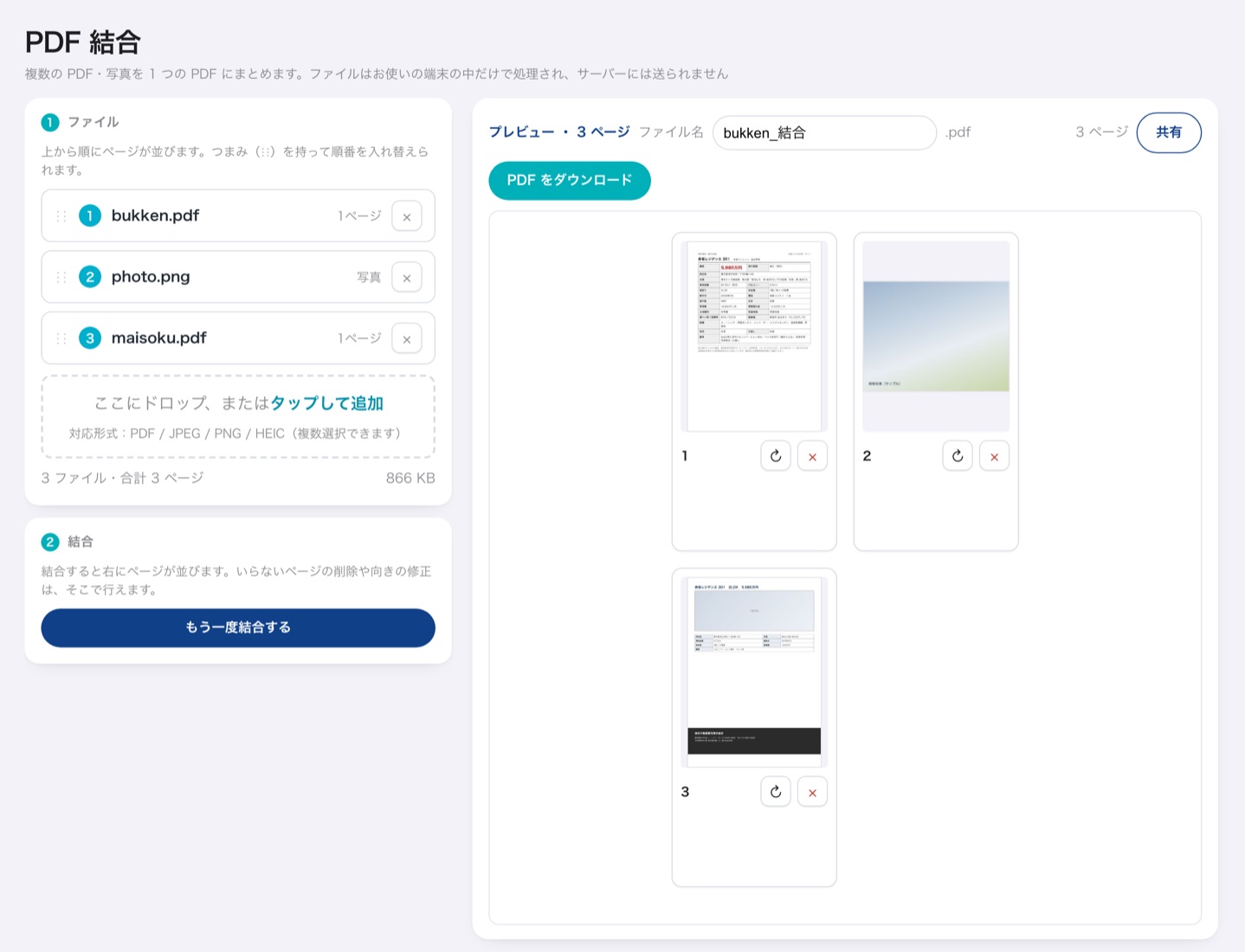
- PDF merging happens only in your browser
FAQ
Good questions.
Ask Rami, our AI assistant, anything that isn’t covered here.
What documents can it read?
PDFs and photos (JPEG, PNG, HEIC). It reads the text; floor plans and photos themselves aren’t read.
Do I need to install an app?
No. It runs in your browser (we recommend the latest Google Chrome or Safari).
How long does it take to get started?
With an existing product, you can start in about 30 minutes. If you need customization, we’ll plan a schedule after talking with you.
How much does it cost?
We don’t publish prices. We’ll send a quote based on your team size and usage.
Can I see a demo?
Yes. Tell us what you’d like to see, and our team will set one up.
When is support available?
Weekdays, 9:00 AM to 6:00 PM JST, by email and phone.